
Your wireless bridge between devices
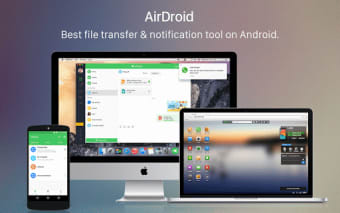
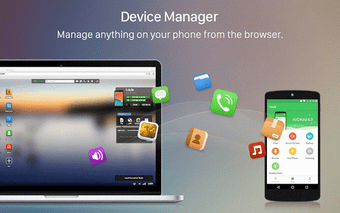
AirDroid Desktop is a free app that allows you to manage your phone's files, text messages, and incoming calls from any computer. You can also control your device remotely using the service. Originally, this app only had a browser version, but it now has a desktop version, which works just as well. Similar apps to this are TeamViewer and AnyDesk.
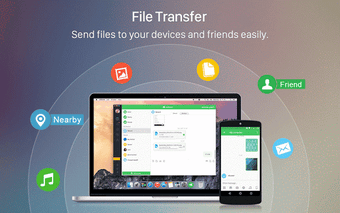
AirDroid Desktop allows you to manage multiple files through the app, and it supports wireless transfer of data between devices. For users with a combination of mobile and PC who want one workflow, it’s worth using.
Bridging the file‑sharing gap
With AirDroid Desktop, you don’t need a USB cable to connect your Android device to your computer for transferring files anymore. This helps you access your Android and even your Apple devices by using the internet. It’s mostly similar to how AirDrop from Apple works as a wireless connection form between your devices, and you can freely control your other device on your PC.
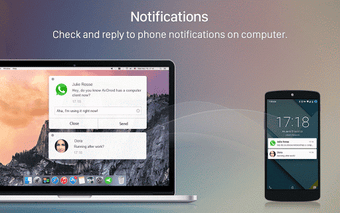
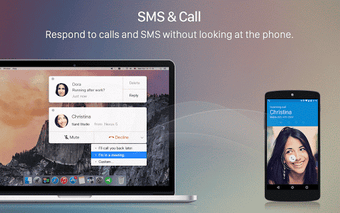
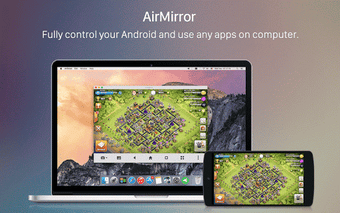
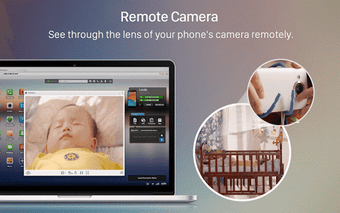
You can do file transfers, get text messages and reply to them on your computer, move your game apps and play on your PC instead, and even remote-control your phone’s camera to see what’s happening around it. Your device doesn’t even have to be nearby, as you can still check out your mobile device even if you’re miles away. Unfortunately, this means that it heavily relies on the internet.
What makes this file transfer app compelling is its ability to be compatible across multiple platforms. However, this app is free to a certain point, but it will let you have the convenience of wirelessly transferring files or texting back without touching your phone. The freedom of cross-platform service can always be felt when you have devices from different brands.
Seamless wireless device management with a few caveats
AirDroid Desktop delivers a versatile, cable-free solution for managing Android and Apple devices from a PC. Users can transfer files, reply to messages, handle calls, and even control their device remotely, making cross-platform workflows smooth and efficient. While the app’s reliance on the internet can limit offline functionality, its convenience, remote access, and broad compatibility make it a compelling tool for anyone juggling multiple devices.